Blocking Unused Lot/Serial Numbers
Block unused lot and serial numbers in Business Central to keep active tracking records clean and speed up lot searches in Trading Hub.
❓ What Does "Unused" Mean?
A lot/serial number is considered unused if:
- Inventory = 0 (no physical stock)
- No reservations
- Not used in documents (orders, transfers, production)
- No movements in the last year
💡 Why Block?
Problem: 10,000 lots, of which 9,500 are unused (95%) → hard to find active ones.
Solution: Block unused lots and serial numbers so that users can focus on active tracking records.
⚙️ How to Use?
- Go to Lot No. Information List or Serial No. Information List
- Click action N24I | Block Old Lot No. or N24I | Block Old Serial No.
- System analyzes all lots/serial numbers against criteria
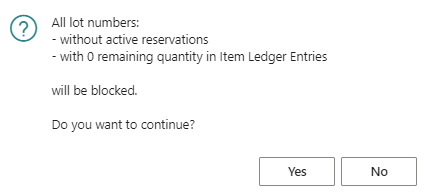
- Confirm → lots with Inventory=0 and no usage will be blocked
Tip: After blocking, use the Show Not Blocked view to see only active lots/serial numbers.
🔓 Unblocking
Manually in lot/serial number cards (set "Blocked" field = FALSE).