Item Journal
Set default values for new Item Journal lines to enter transactions faster and reduce posting errors.
⚙️ Default values
For Item Journal, you can define four values suggested for each new line by using Assisted Setup:
- Gen. Bus. Posting Group
- Entry Type
Note
The Entry Type option is only valid for journal of type Item.
- Dimension suggestion code 1
- Dimension suggestion code 2
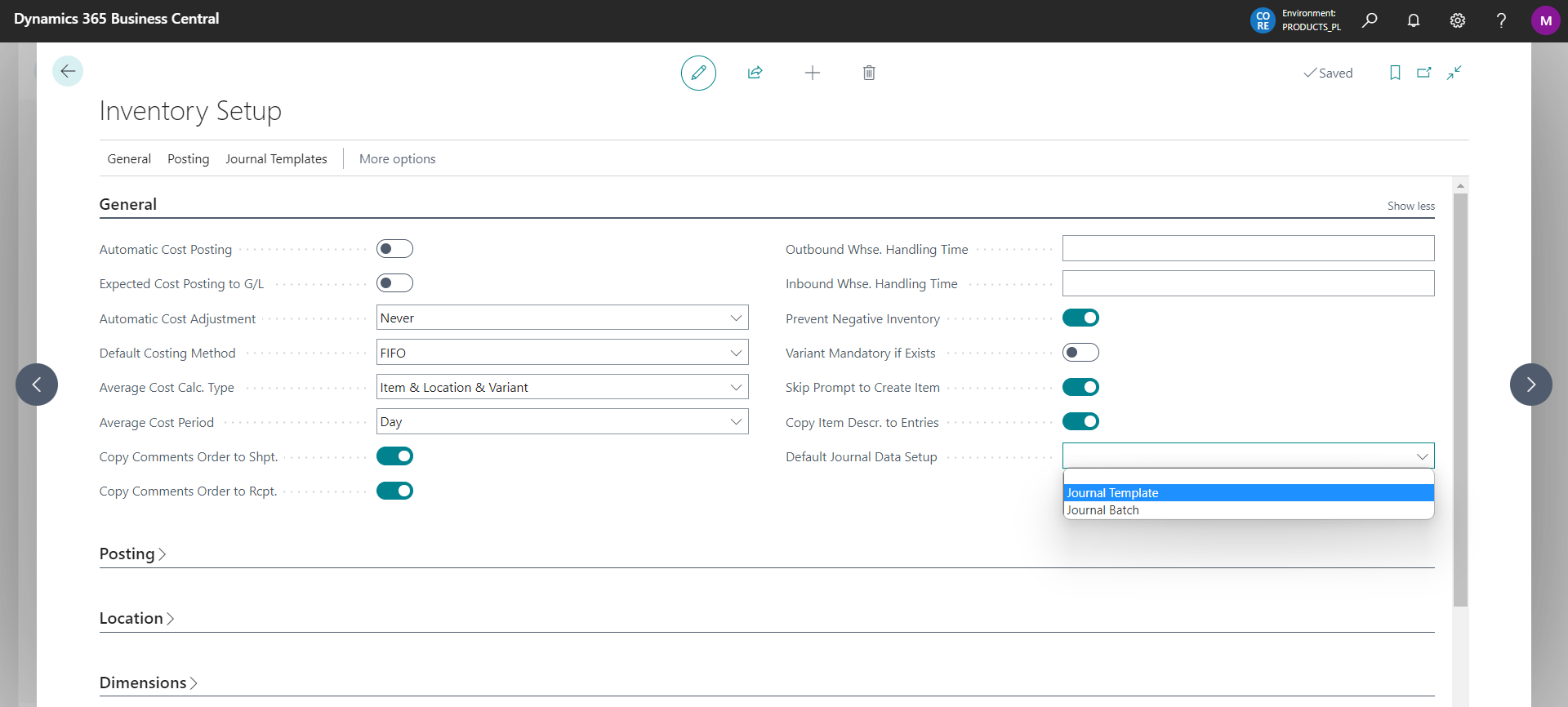
These values depend on the setting from where the system should get the default values for the journal. These settings are defined on the Inventory Setup page in the Default Journal Data Setup field shown below:
🗃️ Value sources
The following options are available:
(Empty) – default settings are not downloaded
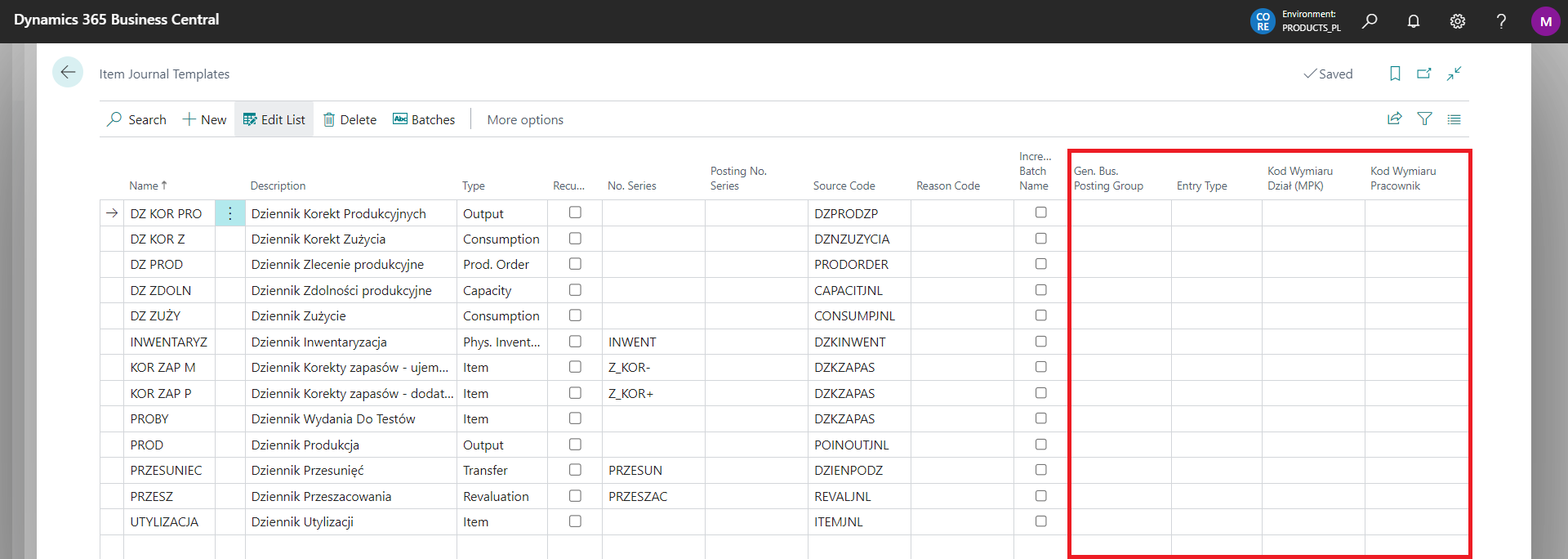
Journal Template – in the list of item journal templates we can specify 3 values. At the time of creating lines in the batch assigned to the template, the system will retrieve and populate Gen. Bus. Posting Group and the values of dimension 1 and 2.
- Journal Batch – in the list of item journal batches, we can specify 1 value. At the time of creating the lines, the system will retrieve and populate the Gen. Bus. Posting Group.
