Project Journal
Set default values for new Project Journal lines to record events faster and keep data consistent.
⚙️ Default values
For Project Journal, you can define three values suggested for each new line by using Assisted Setup:
- Gen. Bus. Posting Group
- Dimension suggestion code 1
- Dimension suggestion code 2
These values depend on the settings from where the system should get the default settings for journal. We define these settings on the Projects Setup page in the Default Journal Data Setup field shown below:
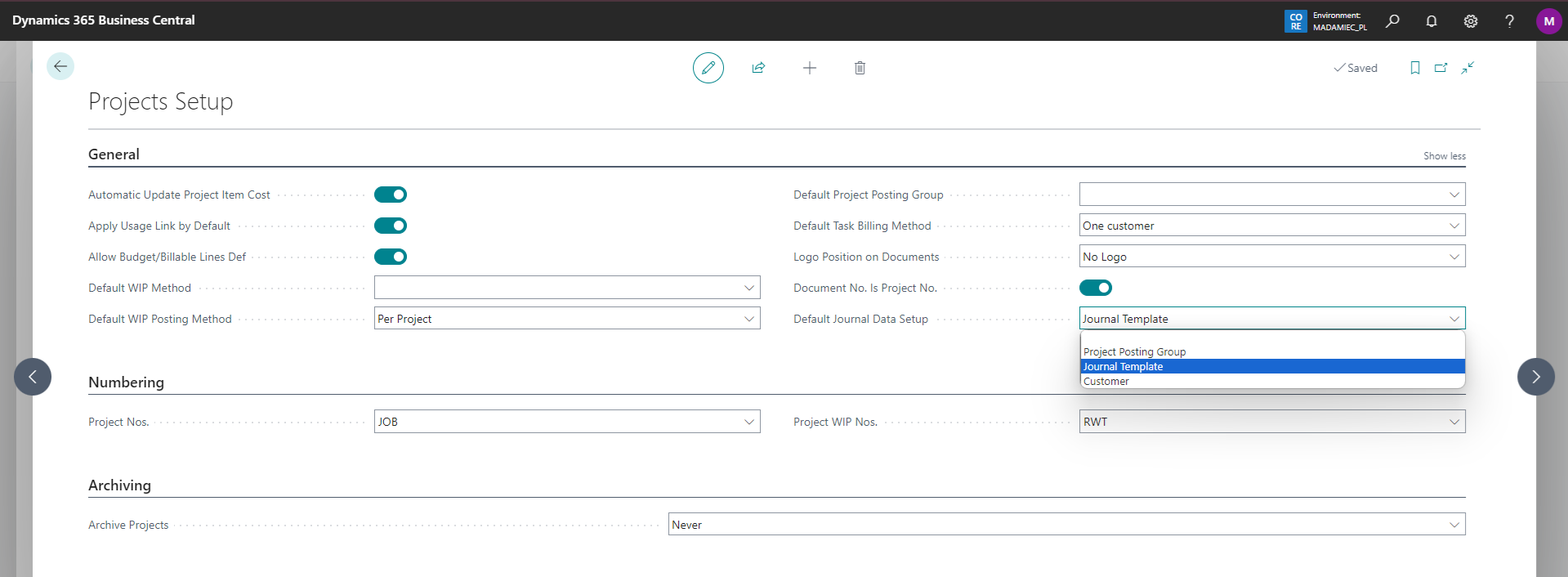
🗃️ Value sources
The following options are available:
(Empty) – default settings are not downloaded
Project Posting Group – system will retrieve for each new line in Project Journal (for any template and any template batch) Gen. Bus. Posting Group defined on the posting group assigned to the project for which we are recording an event in the project journal

- Journal Template – in the list of project journal templates, we can specify 3 values. At the time of creating lines in the batch assigned to the template, the system will retrieve and complete Gen. Bus. Posting Group and the values of dimension 1 and 2

- Customer – system will retrieve, for each new line in the project journal (for any template and any template batch), the Gen. Bus. Posting Group from the customer card assigned to the project for which we are recording an event in the project journal.