Information from Source Document in Warehouse Documents
📤 Warehouse Shipment from Sales Order
Information in Factbox
Information from the source Sales Order is transferred to the Warehouse Shipment. This data is displayed in the Factbox in the Additional Information section on the warehouse document card.
Additionally, it is also available on the warehouse documents list.
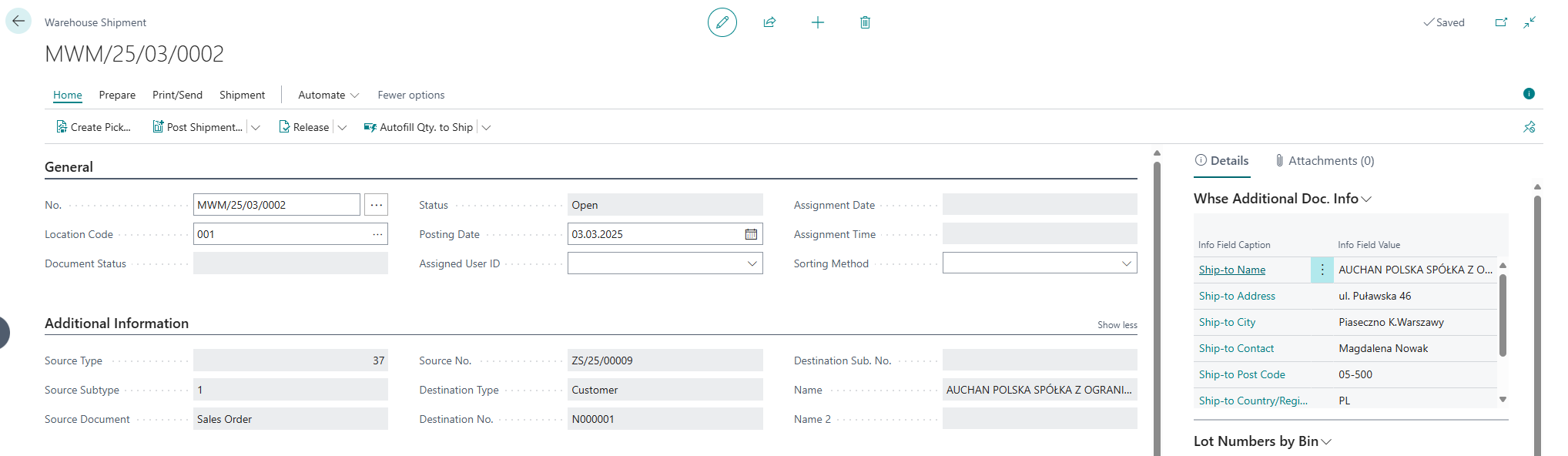
Transferred Information
- Ship-to Name
- Ship-to Name 2
- Ship-to Address
- Ship-to Address 2
- Ship-to City
- Ship-to Post Code
- Ship-to Country/Region Code
- Ship-to Contact
- Ship-to Email (new field on Sales Order)
- Ship-to Phone No. (new field on Sales Order)
Information Directly in the Document
This data is also available in the Warehouse Shipment header and on the warehouse documents list.
- Source Type
- Source Document No.
- Destination
- Destination Name
- Destination Name 2
📥 Warehouse Receipt from Purchase Order
Information in Factbox
Information from the source Purchase Order is transferred to the Warehouse Receipt. This data is displayed in the Factbox in the Additional Information section on the warehouse document card.
Additionally, it is also available on the warehouse documents list.
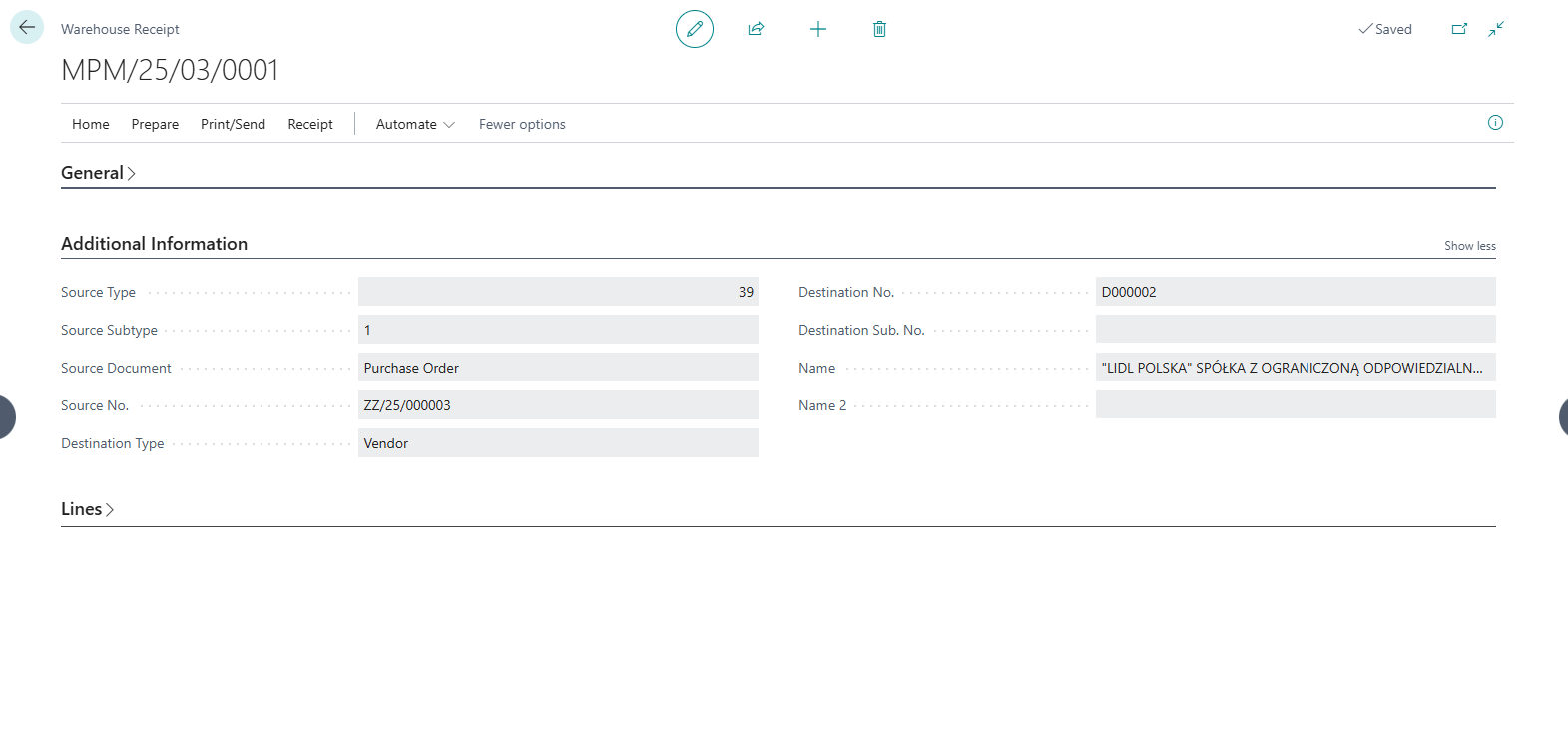
Transferred Information
- Vendor Name
- Vendor Name 2
- Vendor Address
- Vendor Address 2
- Vendor City
- Vendor Post Code
- Vendor Country/Region Code
- Vendor Contact
- Vendor Email (new field on Purchase Order)
- Vendor Phone No. (new field on Purchase Order)
Information Directly in the Document
This data is also available in the Warehouse Receipt header and on the warehouse documents list.
- Source Type
- Source Document No.
- Destination
- Destination Name
- Destination Name 2
📘 Examples and Scenarios
Scenario: Warehouse worker sees delivery recipient data without opening the order
Need: A warehouse worker is preparing shipments. They need to know who the package is going to (address, contact phone), but don't want to open the sales order each time. They need this information directly on the warehouse shipment.
How it works:
- A warehouse shipment is created from a sales order.
- In the Factbox on the warehouse shipment, data from the order is automatically displayed: ship-to name, address, city, email, phone.
- The warehouse worker sees contact details without leaving the shipment page.
Result: The warehouse worker has all delivery information in one place. If they need to call the recipient (e.g., confirm delivery time), the phone number is visible in the factbox.
Scenario: Identifying receipt source on the warehouse document list
Need: A warehouse manager is reviewing the list of warehouse receipts and wants to quickly identify which purchase order and vendor each receipt comes from — without opening individual documents.
How it works:
- On the warehouse receipts list, columns are visible: Source Document No., Vendor Name.
- The manager immediately sees the link between the receipt and the purchase order.
Result: Quick identification of receipt sources without opening each document individually. Useful for planning unloading and prioritizing receipts.