Routings
The Routings module helps create and copy routings and protects certified production data from unauthorized changes.
❓ Introduction
The module supports routing preparation and reduces the risk of accidental changes to certified fields and comments.
🔍 How it works
Create Routing from Item Card
An additional action on the Item List: Create Routing, which enables the creation of a Routing directly from the item.

Copy from Version
An additional action on the Routing List and Routing Card: Copy from Version (available alongside the standard Copy Routing function), allowing a specific version to be copied to another Routing.

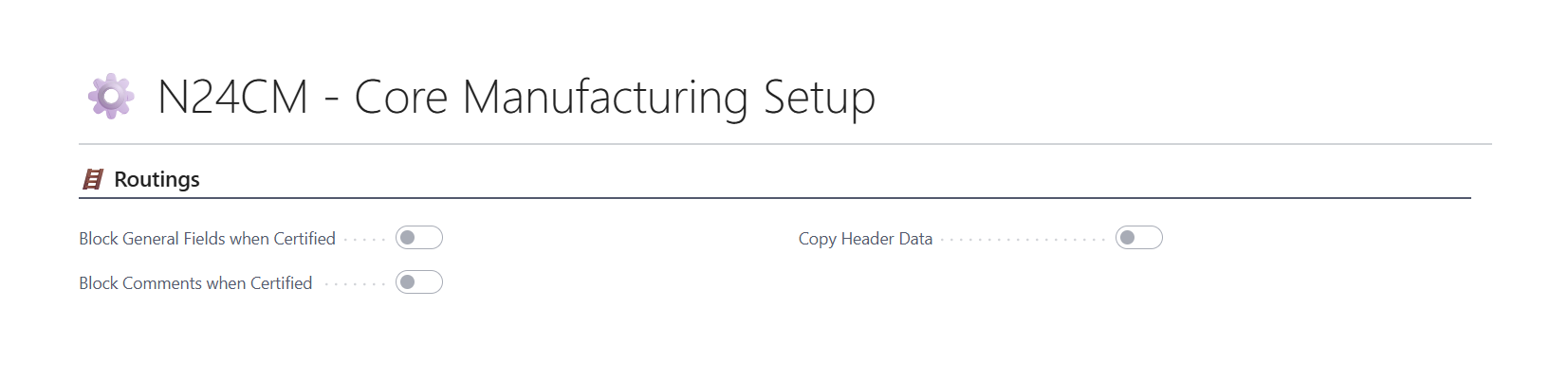
Block General Header Fields when Certified
When enabled, the system prevents the modification of header fields (e.g., descriptions) if the associated Routings have the status 【Certified】. This option can be enabled in ⚙️ N24CM - Core Manufacturing Setup.
Block Comments when Certified
When enabled, the system prevents the modification, addition, or deletion of comment lines if the associated Routings have the status 【Certified】. This option can be enabled in ⚙️ N24CM - Core Manufacturing Setup.
Copy Header Data
When enabled, the system also copies additional Routing header data (e.g., descriptions) during copy operations. This option can be enabled in ⚙️ N24CM - Core Manufacturing Setup.
Routing Link Code Duplicate Check
When you configure the Routing Link Codes Duplicates field in the Core Manufacturing Setup, the system checks on every change of a routing link code whether the same code is already assigned to another operation in the same routing. Validation applies to both routing templates and production order routing lines.
Available options:
| Value | Behavior |
|---|---|
| 🔓 Allow | The system performs no validation — duplicates are allowed. |
| ⚠️ Warn | The system displays a warning message but still allows saving the line. |
| 🔒 Prevent | The system shows an error and blocks saving a line with a duplicate code. |
You can configure this option in ⚙️ N24CM - Core Manufacturing Setup.
🚀 How to enable the module
- Open N24CM - Core Manufacturing Setup.
- Enable the options required for your routing processes.
- Save the setup.