Production Order
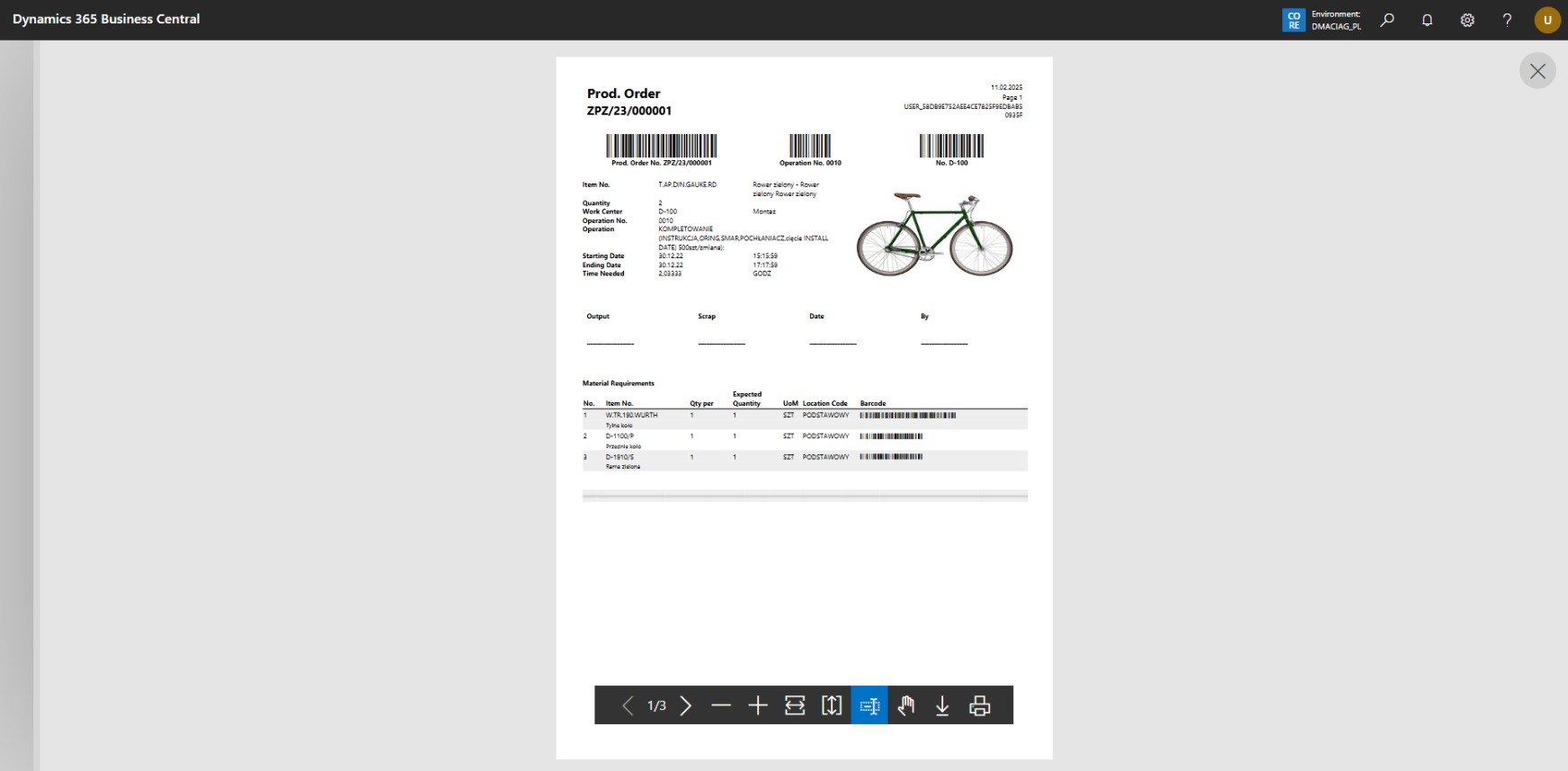
The report shows a production order card with optional barcodes and item information.
Production reports should first be configured in Report Selection - Prod. Order.
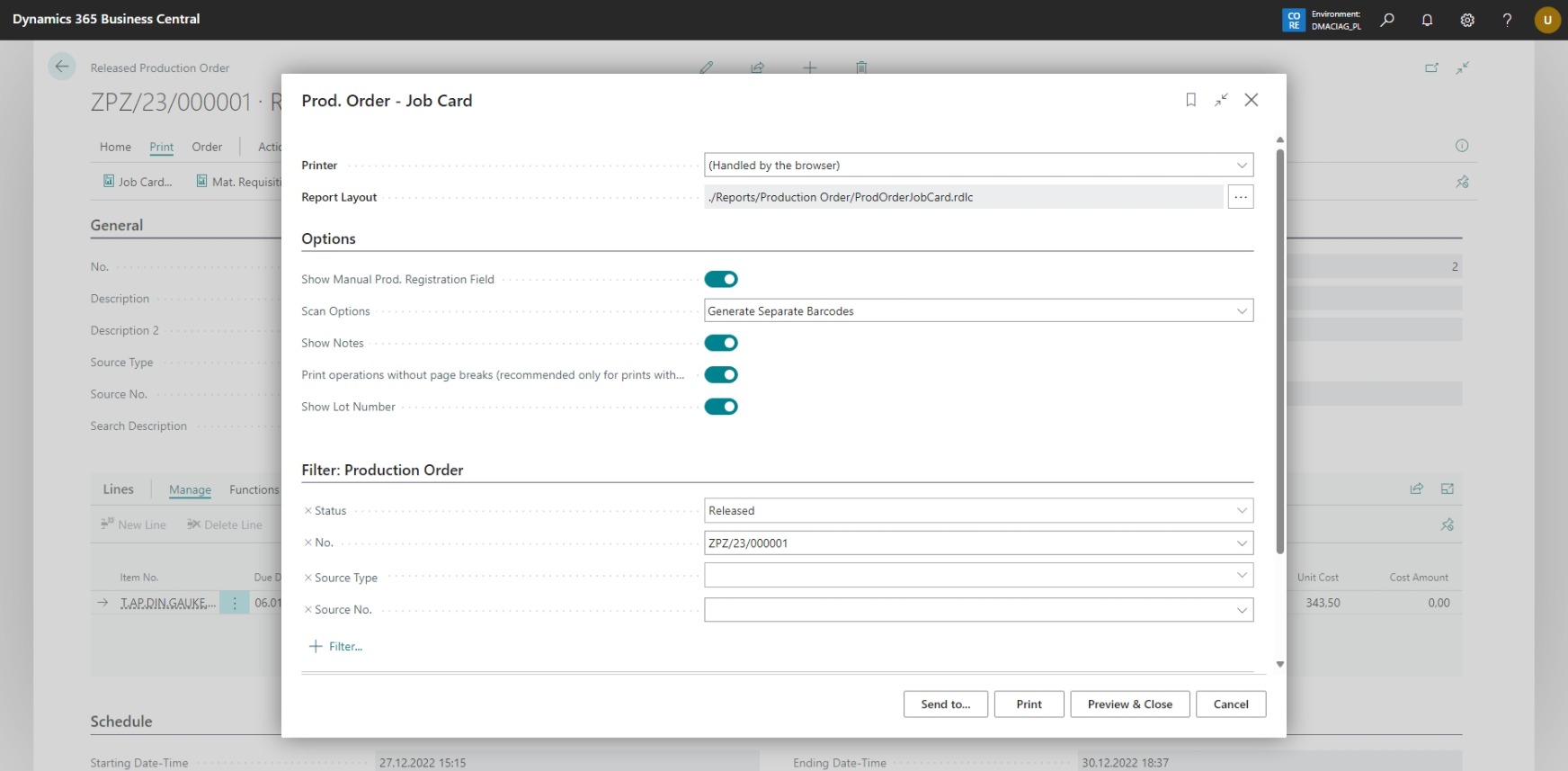
You can print the report from the Released Production Orders card.
The options we can set for the currently printed report are shown below:
Example preview of the report: