Product Types
This module selects a cost work center for a product type and reason code.
❓ Introduction
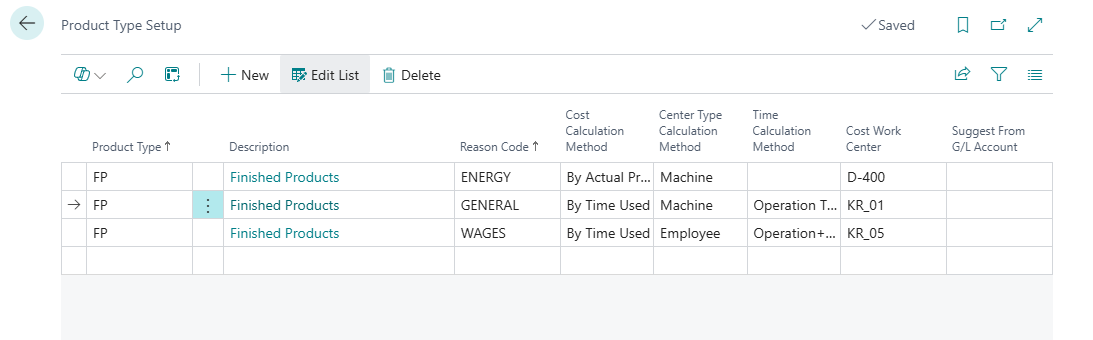
The Product Types module lets you assign items to groups and define settlement rules for each product type and reason code combination. This helps the worksheet retrieve the appropriate orders and use the assigned cost work center and cost calculation method.
🔍 How it works
When you retrieve orders for settlement, select a product type and reason code. The system retrieves only orders for items with the selected type, assigns the reason code, and selects the configured cost work center. For example:
Selecting a product type — when retrieving orders:
- Item A has product type: STANDARD
- Reason Code: ENERGY
- The system assigns cost work center: CC_ENERGY
Settlement rules — each configured combination can use a different cost calculation method and cost work center:
- STANDARD + ENERGY → CC_ENERGY
- CUSTOM + SUPERVISION → CC_SUPERVISION
- HEAVY + TRANSPORT → CC_TRANSPORT
🚀 How to enable the module
- Open Production Variance Settlement Setup.
- Enable the Enable Product Types field.
- Complete the matrix described in Product Type Settings.