How to generate a label entry?
To generate a label entry, click the action  on one of the following pages:
- Items, Item Card
- Item Ledger Entries
- Production Journals
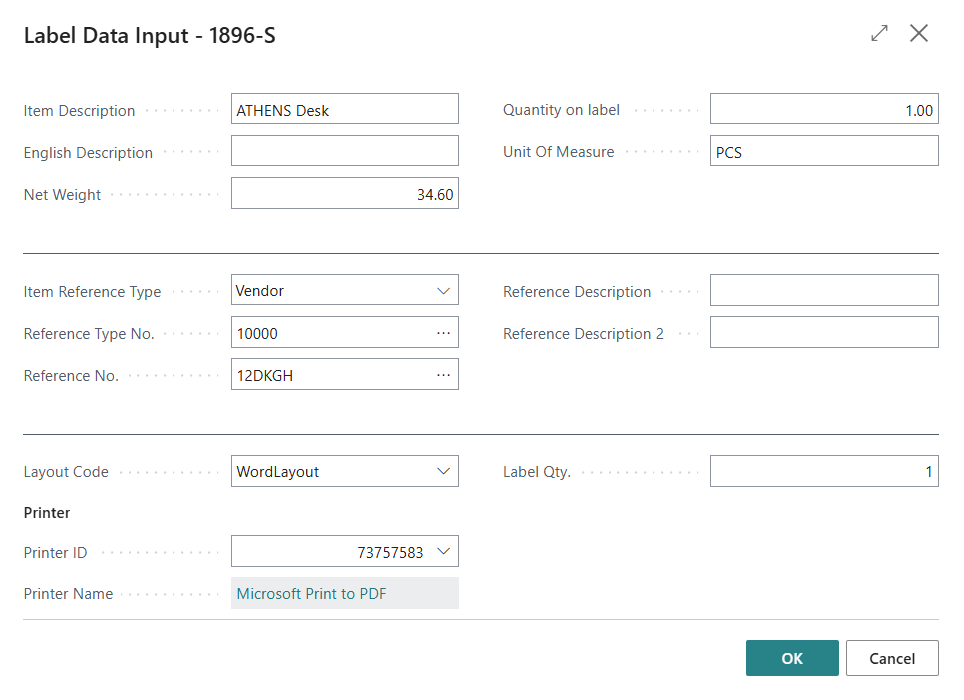
When creating a label from these pages, the system asks you to confirm the data used for label generation.
Tip
The system automatically suggests the last used label layout. When creating a new entry, the Layout Name field is pre-filled with the layout last used by the current user.
🏭 Production panel
If you use the Production Panel, production workers can print labels directly from the panel. It is also possible to automatically print a label for each new production entry, significantly speeding up the process.